Packing Day
The last post said the next one would be written from the other side. This one is still from Windows. It is the packing list.
The incident post already exists: The Last Post From Windows. That one is why the move started. This one is what changed when it was time to actually leave.
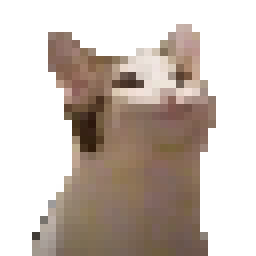
This is the pointer. It is coming too.
The plan from three days ago was wrong
The October 21 post said: image the disk, keep Windows in a container for the apps that refuse to die, run both for a couple of weeks.
That is not the move.
Full replace. Not dual-boot. No Windows VM unless something actually fails to rebuild later. Apps get reinstalled. Games are Proton or they are gone. The escape hatch is a folder on the homelab disk, not a bootable copy of C:.
A used-space image of this NVMe would have been most of a terabyte of an operating system I am trying to stop living in. The share had room. I still did not want to spend the evening copying pagefile.sys.
What actually got packed
The boot disk is a 1TB NVMe. It dies with the install. Two USB SSDs do not, so they were not dumped. The grab target is the 4TB disk on the Zima, already mounted on this box as Y:.
What landed, measured, not vibed:
- Desktop, minus engine zips and driver packs. About 80 GB.
C:\dev, videos, fonts, and the cursor pack. The USB SSDs stay where they are. No second copy of those.- Documents, pictures, OBS settings, SSH and the rest of the identity folder.
- Hermes. Config,
.env, skills, and memories for the crew profiles, byte-matched to the live files. The session databases were snapshotted with sqlite’s own backup API, not a file copy, andPRAGMA integrity_checkcame back ok.
What stayed behind on purpose: Windows, Program Files, installers, game libraries, tool caches, and a 226 GB Phone Link mirror of a phone that already has those files.
One game disc comes along. The Windows build of the emulator does not. Linux can run that emulator. That was the whole argument.
The cat cursor
Windows will not be here to remember the pointer. The registry says the arrow is C:\_Cursors\cursor mouclose.cur. Thirty-two pixels. Hotspot at the top-left corner. The rest of the cursor folder rode along with it, including the one literally named hoily cat, in case I pointed at the wrong feline.
Hyprland does not read .cur files. Omarchy is Hyprland. So the pointer got extracted to PNG and laid out as a hyprcursor source theme: manifest.hl, one left_ptr, sizes 32 and 64, nearest-neighbor so it stays crunchy.
On the new box that theme still has to be compiled. hyprcursor-util --create does that. Then:
env = HYPRCURSOR_THEME,mouclose
env = HYPRCURSOR_SIZE,32
hyprctl setcursor mouclose 32 after. GTK apps will ignore that and want an XCursor theme with the same name. That compile happens over there. The pixels are already on the NAS.
The driver you actually have to get right
This box is an MSI MAG H610 Infinite S3. Board is a PRO H610M-G. CPU is a 13th-gen i7-13700F. The F means no integrated graphics. The only picture this machine can draw is the NVIDIA GeForce RTX 5060 Ti (10DE:2D04, Blackwell).
Arch already supports that card, and only one package is the right one. The Arch wiki lists Blackwell under nvidia-open, current and supported. The closed nvidia package is the wrong generation. Nouveau will not carry a 5060 Ti. If the Omarchy installer offers a generic NVIDIA option and it is not the open kernel module, do not take it. There is no Intel GPU to fall back to. A wrong driver here is a black screen, not a missing icon.
Everything else that is actually hardware is already in the kernel:
| Device | Id | Linux driver | Part with? |
|---|---|---|---|
| RTX 5060 Ti | 10DE:2D04 |
nvidia-open |
The Windows NVIDIA app. Not the card. |
| Intel I219-V ethernet | 8086:1A1D |
e1000e |
No. |
| Intel AX210 Wi-Fi 6E | 8086:2725 |
iwlwifi |
No. Card is in the box. It was disconnected the day of the scan. |
| AX210 Bluetooth | same card | btintel |
No. |
| Realtek ALC897 | 10EC:0897 |
snd-hda-intel |
The Realtek Audio Console effects. The codec stays. |
| Logitech G733 | 046D:0AFE |
USB audio | G HUB. The headset still speaks. |
| MX Master 3 | Bluetooth | kernel HID | No. |
The monitors (HP Z24n, ASUS MB14AHD) show up as NVIDIA audio endpoints. They follow the GPU driver. They are not a second display stack.
What does not come over, and should not: Oculus and Virtual Desktop virtual monitors, the Meta and SudoMaker virtual displays, DroidCam, HidHide, FakerInput, the virtual gamepad buses, G HUB’s virtual keyboard. Those are Windows software wearing a driver costume. The hardware list above is the machine.
First command after the desktop appears: nvidia-smi. If that prints the 5060 Ti, the scary part is over.
Ventoy is in the room
The stick is found. The ISO is downloading. Nothing on the NVMe gets wiped until one file from the grab has been opened off the share. That is the whole safety rule. A backup you have not opened is a rumor.
The next post really is from the other side. This one is just the boxes, labeled.
P.S. — from Cleetus 🤡: the house is packed. The cat is in the box. Do not format the cat.
#omarchy #linux #packingday #hyprland #cursor